Linux Mini PC Buying Guide: Ubuntu Compatibility, Driver Support & Hardware Compatibility Checklist
#News Center ·2026-10-08 21:57:17

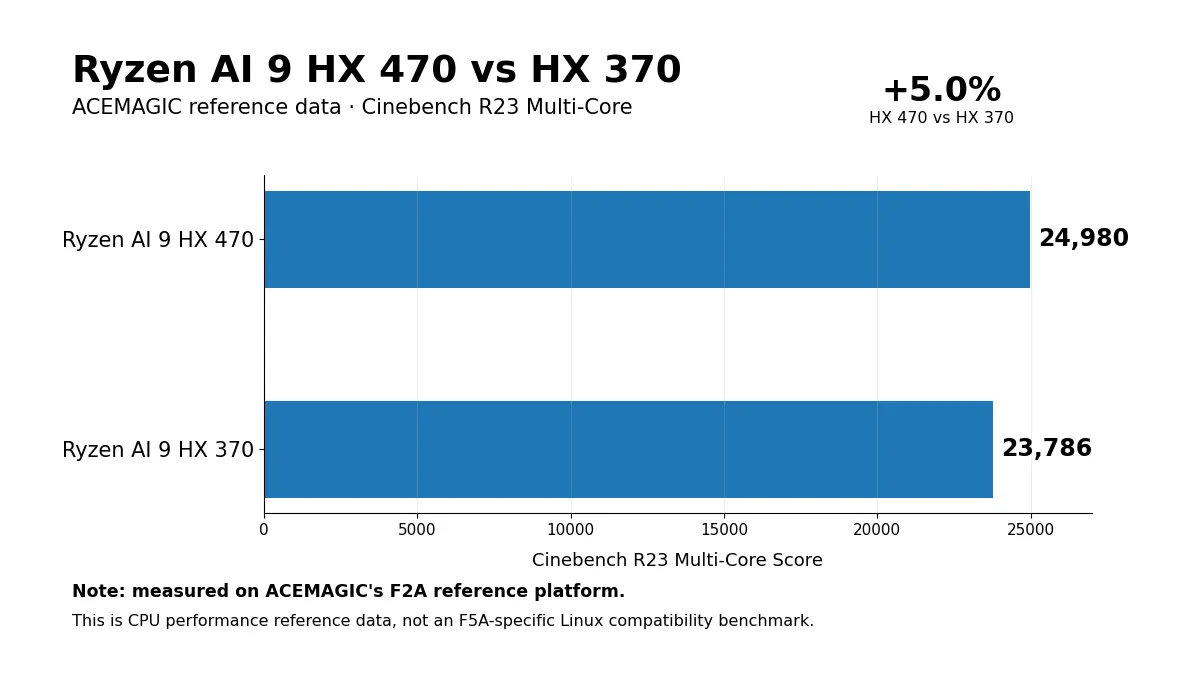
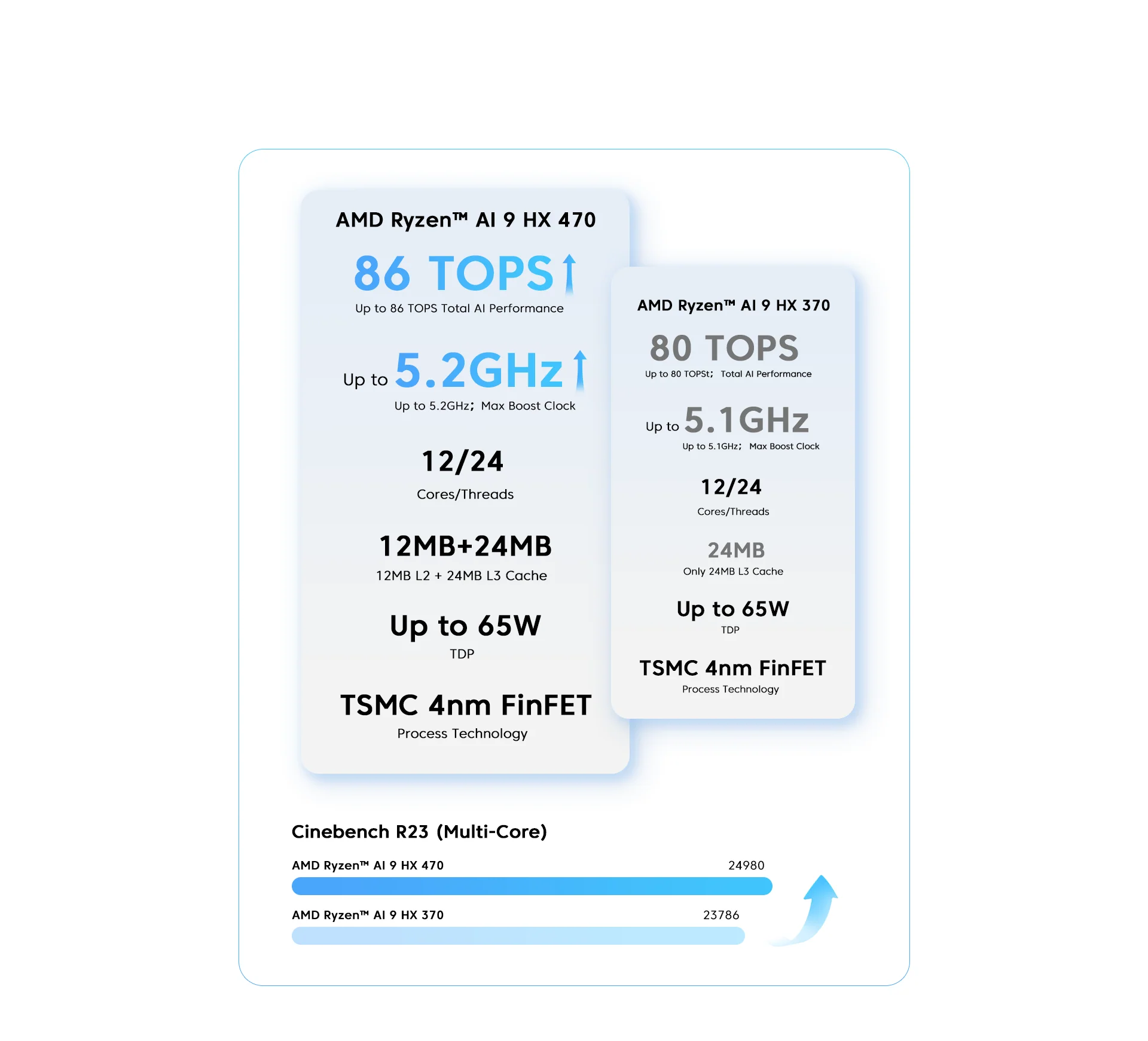
How to select a Linux mini PC that delivers real-world performance beyond marketing specifications. This guide includes hands-on test results for the HX 470 under Linux, official CLYTTE CPU data, and practical checks for Wi‑Fi, graphics, multi-display output, sleep function and hardware upgradeability.
A high-performance CPU cannot guarantee a seamless Linux installation. One common mistake when purchasing mini PCs is selecting a new unit purely based on benchmark figures, only to find Wi-Fi, sleep/resume, USB4 or multi-monitor output requires extra tweaking on Linux.
This is the core consideration when shopping for a Linux mini PC. The question is not merely “Can Ubuntu be installed?”, but “Will the hardware I rely on operate stably after installation?” This guide addresses this priority question, then reviews real Linux test data for the AMD Ryzen AI 9 HX 470, and evaluates how the CLYTTE F5A HX 470 serves developers, HomeLab builders, virtualization workloads and local AI deployment.
Are Mini PCs Suitable for Linux?
Absolutely. A modern x86 mini PC works well as a development workstation, HomeLab node or compact server. It incorporates the same core PC components found in full-size systems: x86‑64 CPUs, NVMe storage, DDR5 memory, integrated graphics and standard network interfaces, all packed into a smaller, generally more power-efficient chassis.
The form factor itself is seldom the issue. Compatibility hinges on the specific internal components. When shopping for the best Linux mini PC, driver maturity and hardware support deserve equal attention alongside CPU and GPU benchmark scores.
Pre-installed Linux vs Linux-Compatible: Understand What You Purchase
Many buying guides conflate two distinct product categories.
- Pre-installed Linux: The mini PC ships with Linux preloaded by the vendor, with dedicated technical support for that exact OS image. Best for users seeking minimal setup work.
- Linux-compatible: Standard PC hardware capable of running Linux. Users select, install and maintain their preferred Linux distribution. Ideal for developers and power users who want full flexibility.
- Certified / validated: A specific OS version paired with a fixed hardware configuration has undergone official validation. Suited for buyers requiring verified compatibility proof.
Key Hardware Checks Before Purchase
Processor issues are uncommon. Most Linux compatibility headaches stem from peripheral controllers, firmware and software stacks.
Do not rely solely on marketing names for components.
“Wi‑Fi 7” is a standard specification, not a guarantee of Linux driver support. If the product page does not specify the wireless or Ethernet controller chip, consult the vendor or verify hardware after booting up.
Run these commands in Linux terminal to view hardware info and loaded kernel drivers:
lspci -nnk
lsusb
uname -r
A practical rule: treat the exact chipset and kernel version as core specifications, not troubleshooting surprises you discover after purchase.
Why New Hardware Requires a Recent Linux Kernel
A new mini PC performs drastically differently on outdated Linux images versus up-to-date distributions. GPU support, firmware, power management, networking and media acceleration keep improving alongside kernel, Mesa and firmware updates.
This explains conflicting user feedback for the same model. One user may run an older LTS release, while another uses Ubuntu 26.04, Fedora or other distros with newer hardware support. For 2026 hardware platforms, the software stack version is a critical part of your hardware buying decision.
Ryzen AI 9 HX 470 on Linux: Real-World Test Findings
AMD lists the Ryzen AI 9 HX 470 with support for multiple operating systems. This processor features 12 cores / 24 threads paired with powerful integrated Radeon graphics.
More valuable than the official spec sheet, independent benchmark tests on Phoronix cover clean installs of Ubuntu 26.04 LTS, Fedora Workstation 44 and CachyOS alongside Windows 11. This platform-level testing confirms the core CPU/GPU combo runs and benchmarks smoothly on modern Linux distributions.
This does not mean every Wi-Fi adapter, docking station, BIOS revision or multi-screen setup works identically across all HX 470 mini PCs. It proves the platform itself is well-understood and functional under Linux.